CASE STUDY
Sapling’s Updates Page

COMPANY
Sapling
MY ROLE
Design Lead
TIMELINE
2019
PROJECT OVERVIEW
A redesigned Sapling homepage that helped employees, managers, and admins find the information most relevant to them.
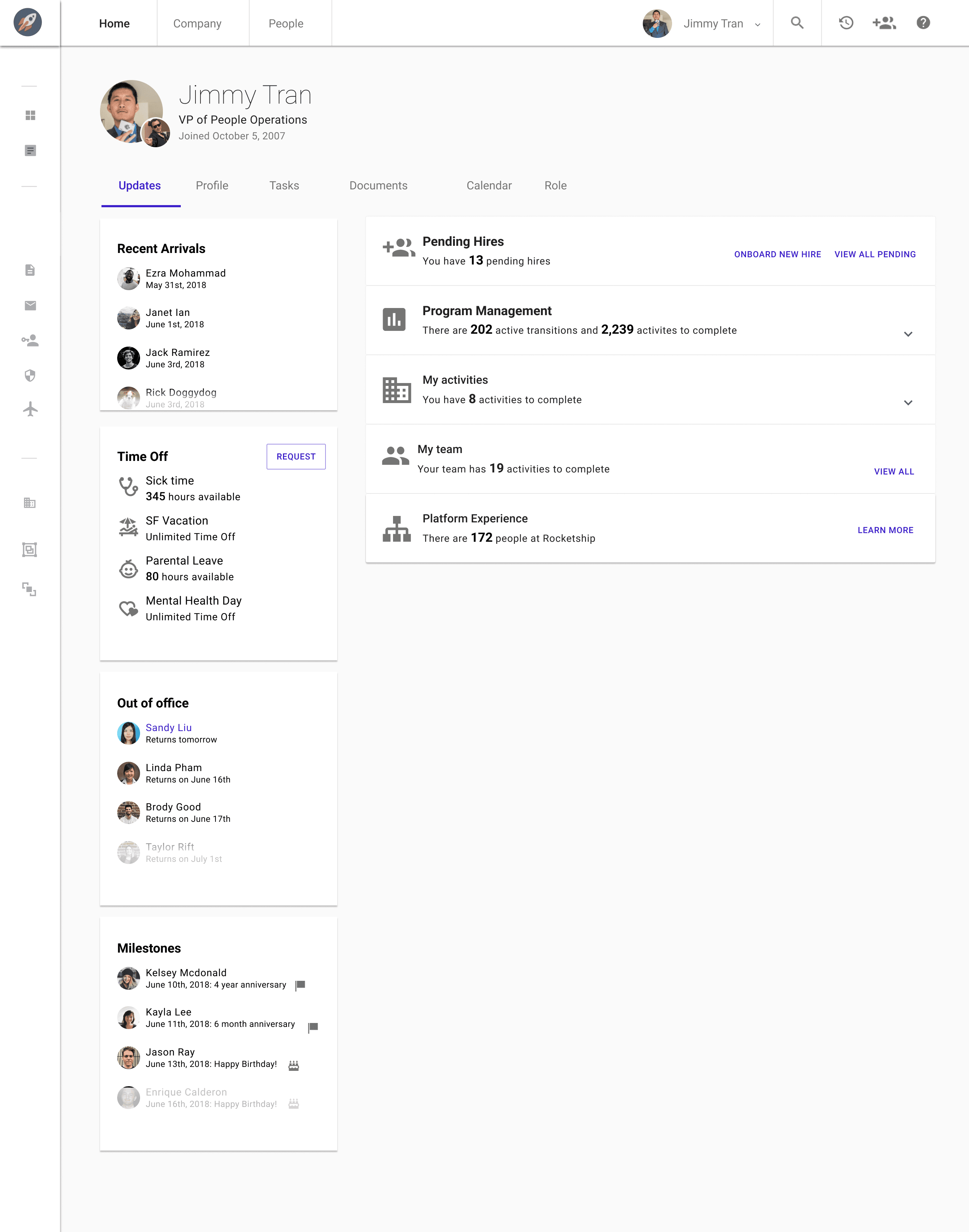
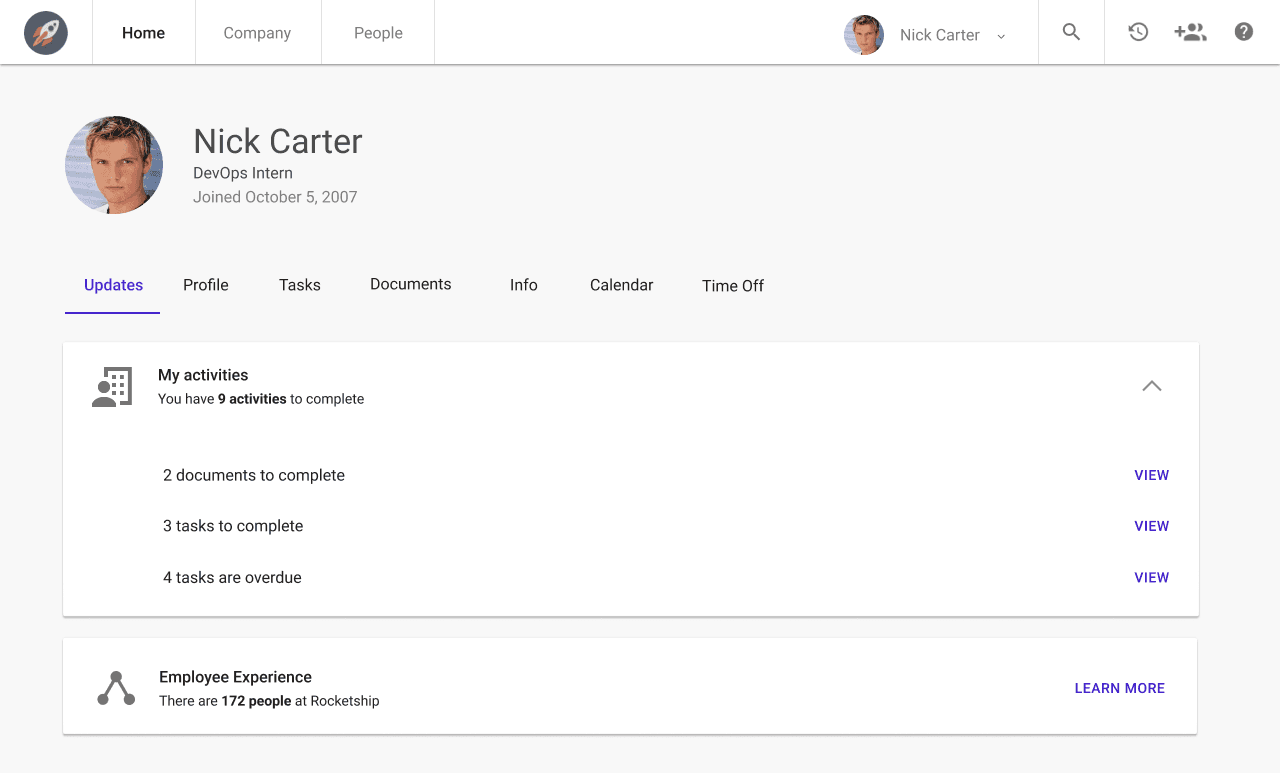
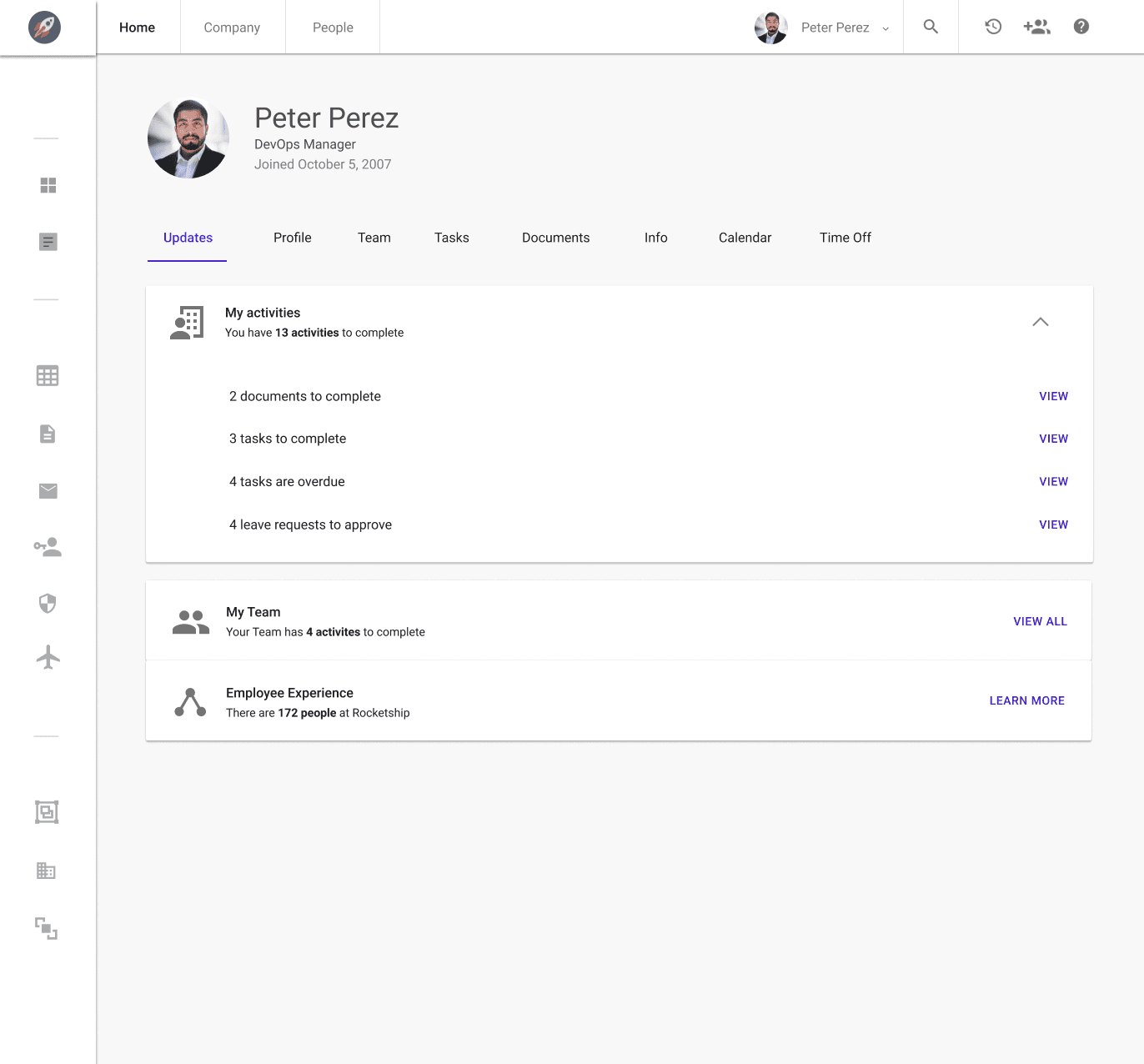
Sapling’s Updates page became the home base for employees, managers, and admins—replacing a generic profile page with role-relevant information.
Problems
We set out to solve two problems: make key features easier to find and give employees a reason to return after onboarding.
1. Feature Discoverability
As the product grew, users struggled to find role-specific information. Managers missed time-off requests, while admins needed a faster way to follow up on tasks and documents.
Those navigation questions represented 19% of support volume—enough evidence to prioritize a clearer starting point.
2. Usage
Employees valued Sapling during onboarding but had little reason to return. A useful, contextual homepage could make the product part of their ongoing workday.
Research
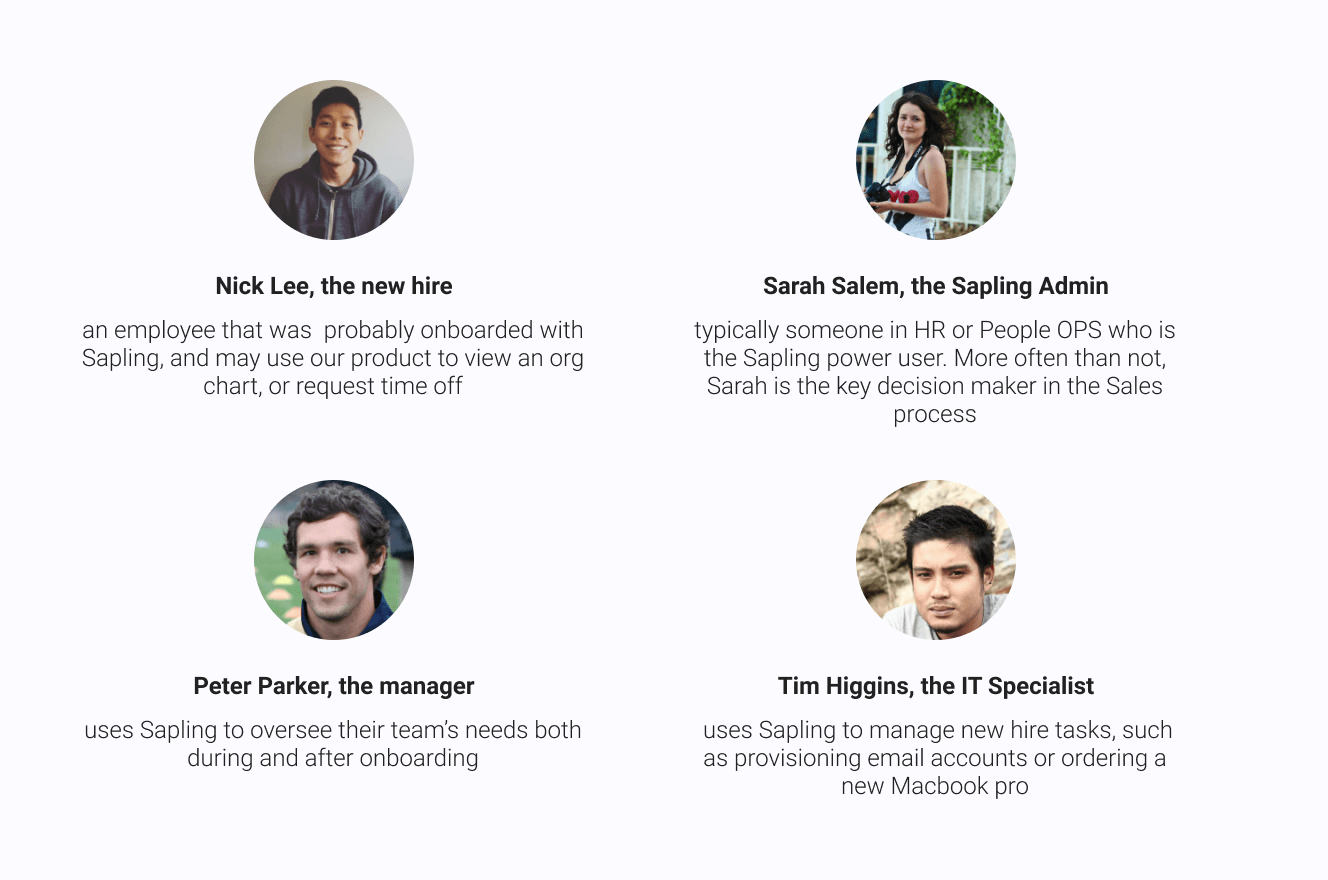
Before designing, we clarified what each of Sapling’s four core personas needed to see first.
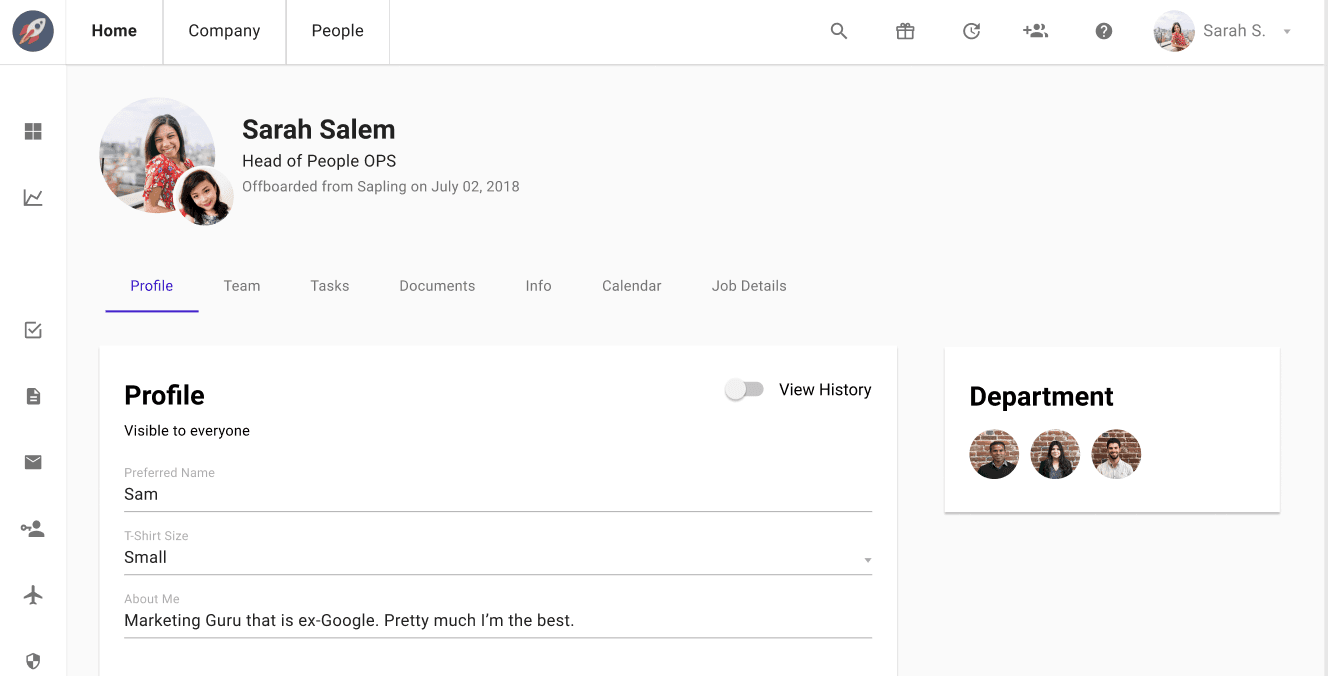
Previously, every user landed on their profile page—a place for updating personal HR information, not for understanding what mattered next.
I combined competitive analysis, a new-hire survey, and interviews with power users to decide what deserved priority on the page.
For HR and People Ops teams, a forecast of upcoming hires was the most valuable signal. It helped teams coordinate a more organized onboarding process.
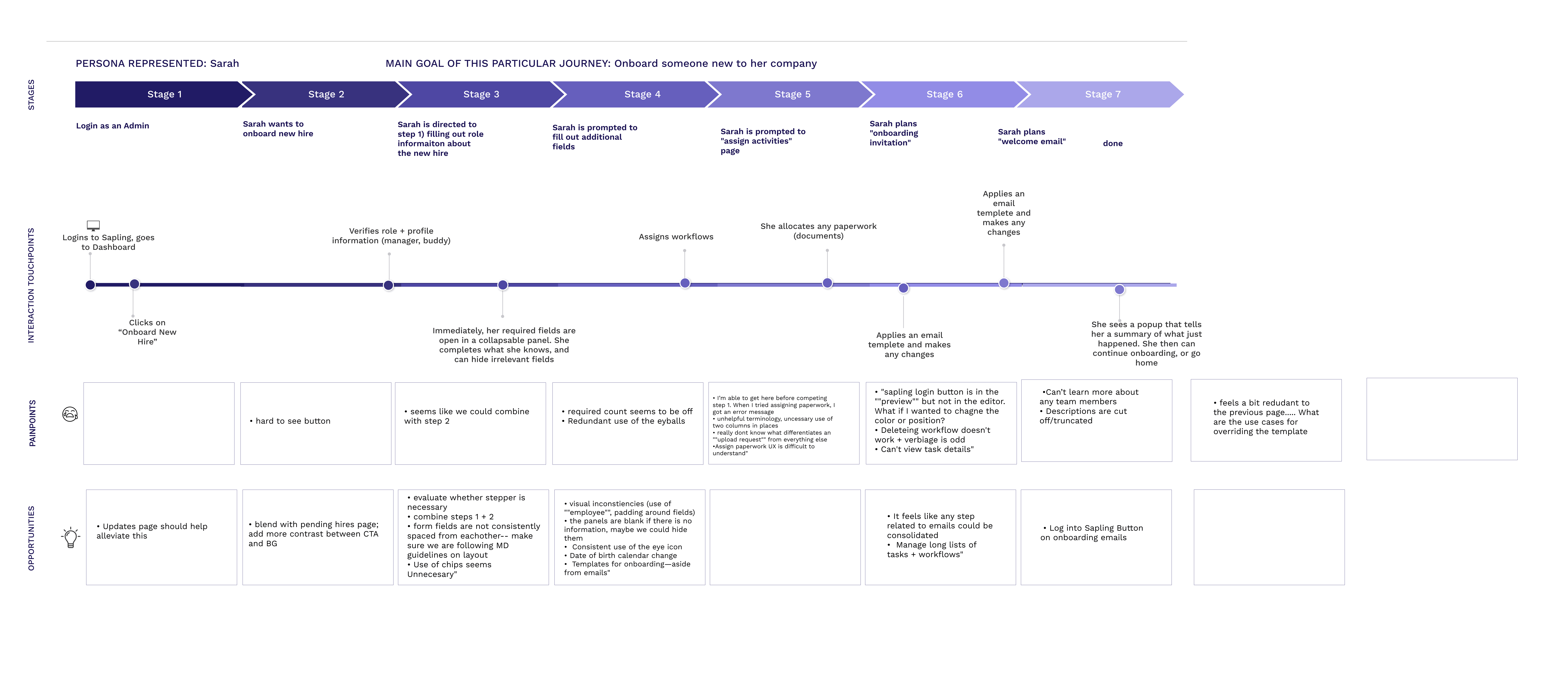
The admin onboarding journey:
New employees often felt overwhelmed in their first 30 days, so quick access to their next steps became essential.
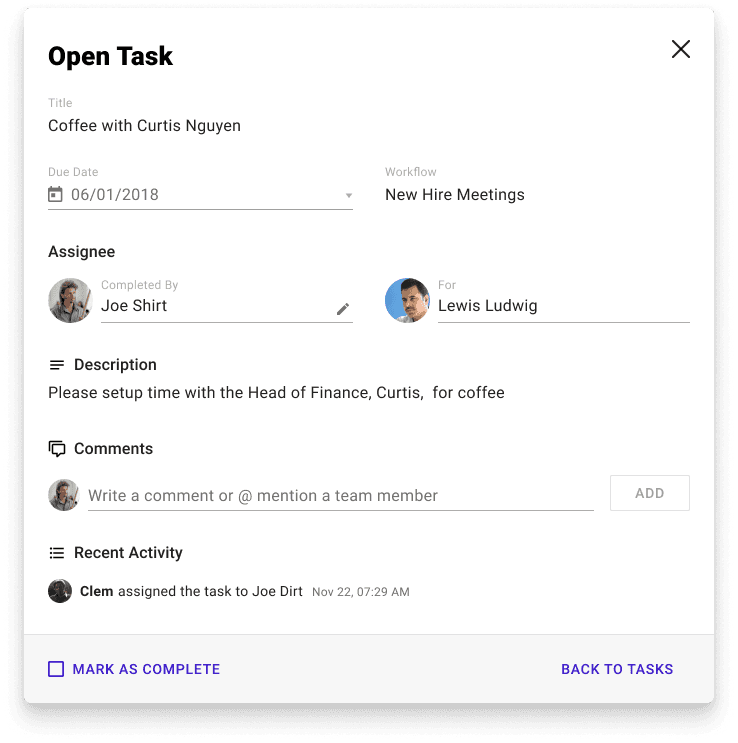
Open tasks needed to be immediate and easy to complete. The Head of Product and I used the research to prioritize the page’s sections.
APPROACH
Building an MVP
The MVP focused on the essentials: tasks, documents, and Org Chart shortcuts for everyone; team time-off requests for managers; and onboarding visibility plus pending hires for admins.
We intentionally cut scheduled emails, out-of-office lists, and company announcements to protect scope, performance, and launch timing.
Design
Before visual design, I mapped each use case and its supporting data by persona. The content taxonomy also helped us refine microcopy and confirm how each metric would be calculated.
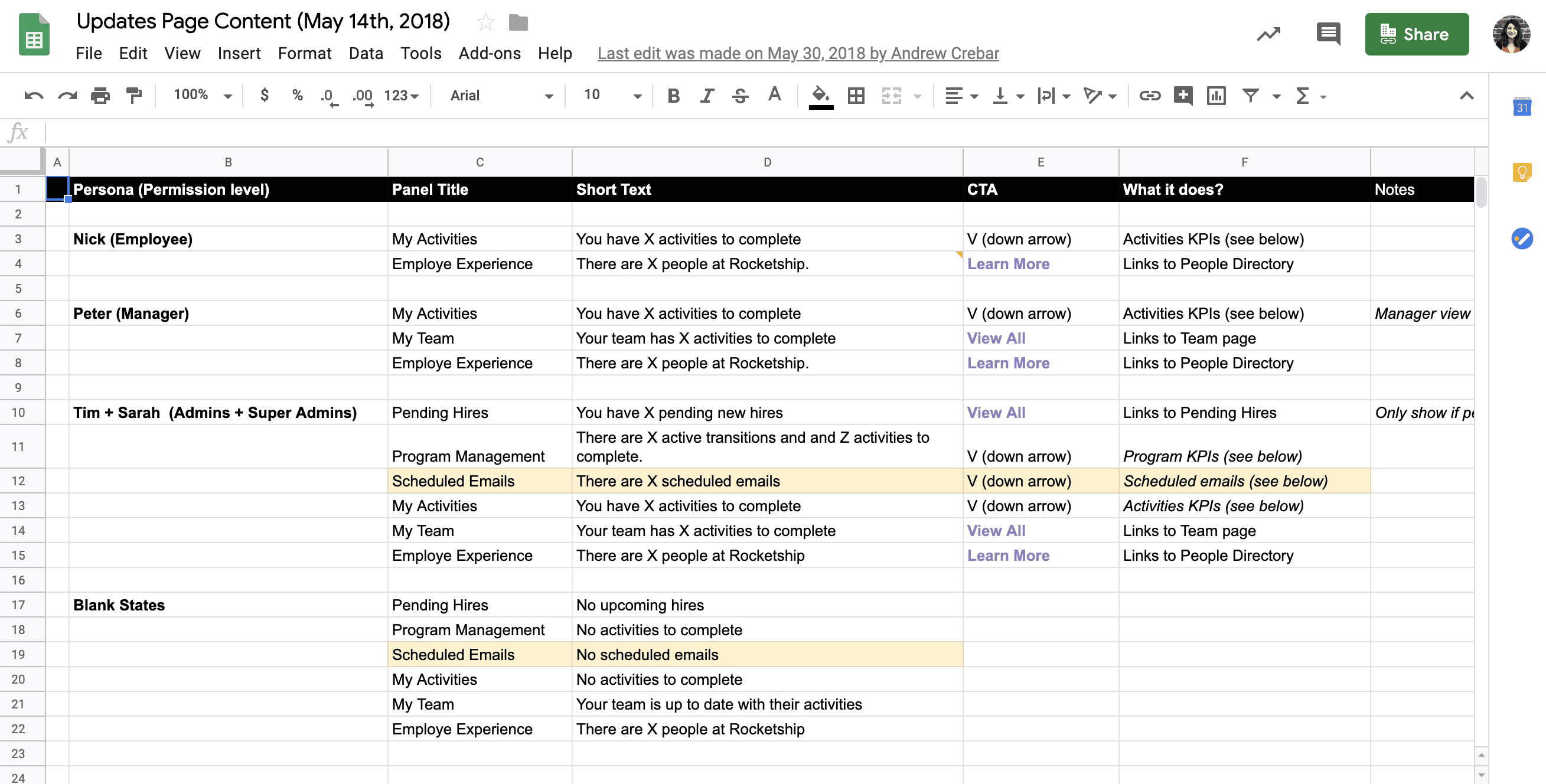
I translated the taxonomy into panels, then created eight rough wireframes. Three directions moved forward for review against the research and product requirements.
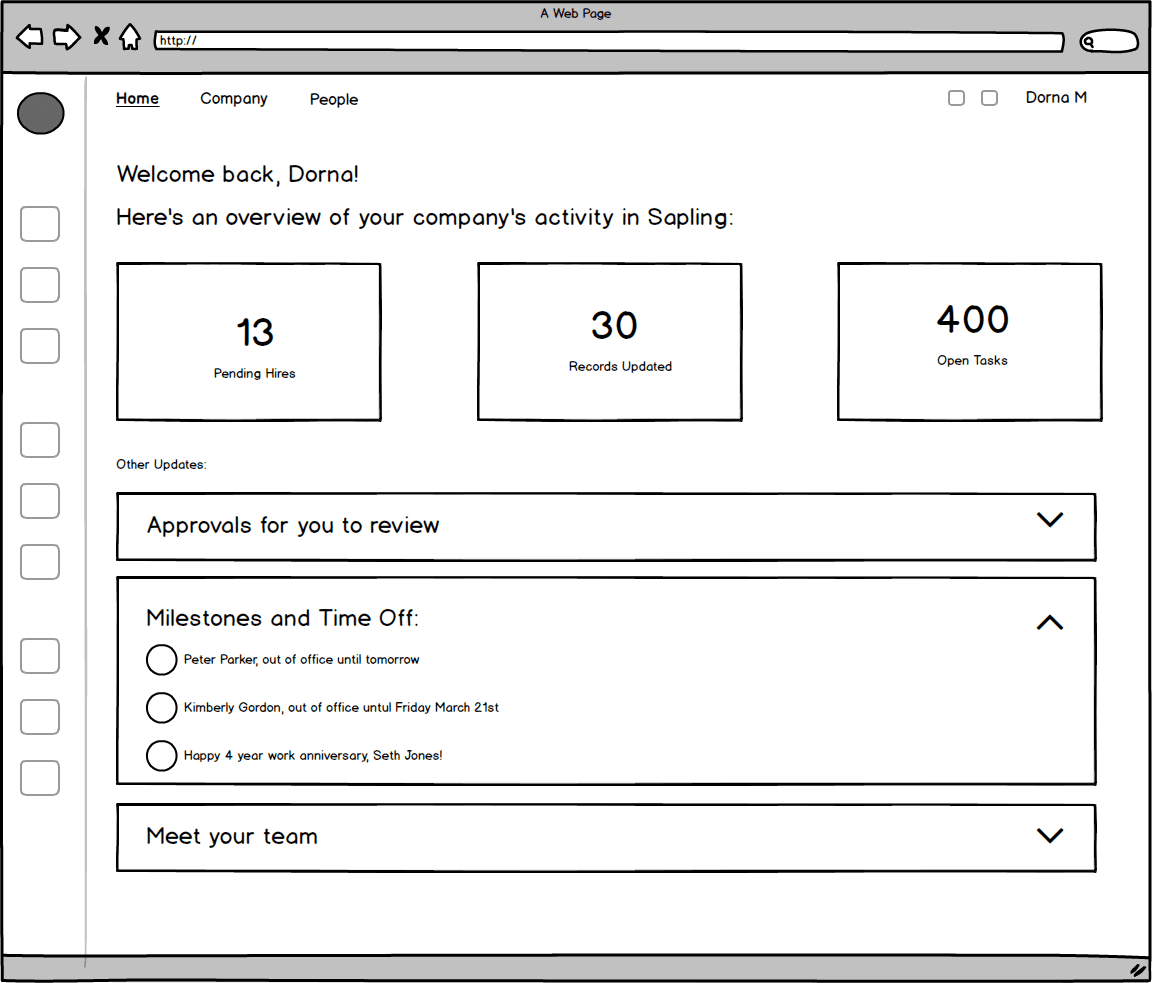

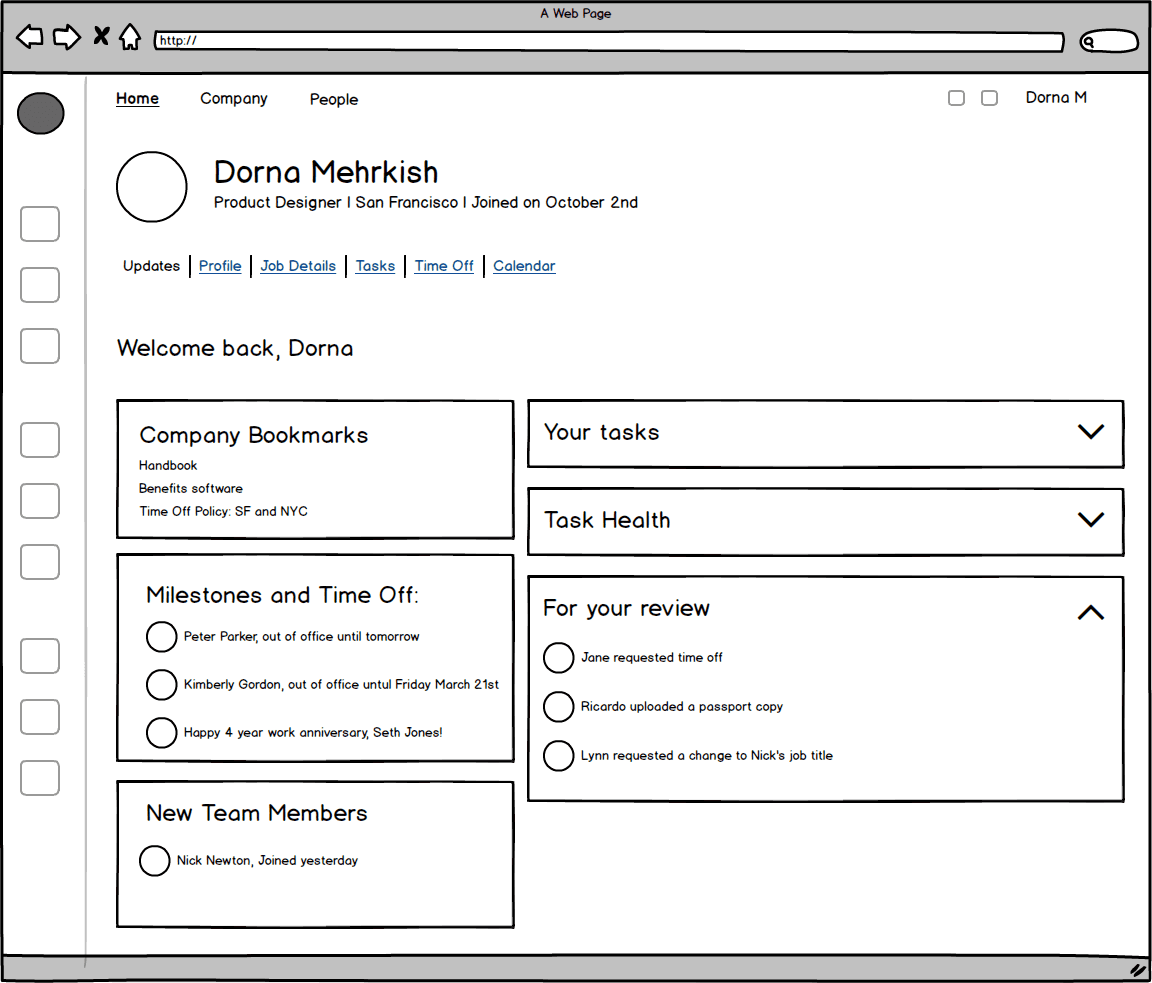
We chose version B because it reused an existing expansion-panel component, accelerated the MVP, and let people scan key stats before drilling into detail.
I refined the selected direction in Sketch and built three role-based InVision prototypes to show how the page would adapt across Sapling’s audiences.
Admin experience

Employee experience
Manager experience
Outcome
Testing With Customers
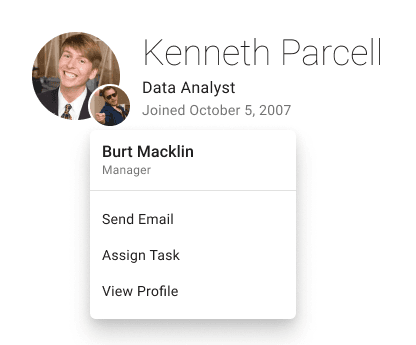
Prototype reviews with Sapling power users surfaced three themes: reduce cognitive overload, make labels clearer, and retain key manager details outside the profile view.
One resulting improvement made each employee’s manager easier to find from their profile.
REFLECTIONS
Launch and Improve
Once development was complete, the QA team and I tested every scenario and polished the visual details. We then invited customers into a two-week beta before the broader rollout.
On a small team, I also partnered on the launch plan: beta invitation, help article, announcement email, and feedback form.
After launch, FullStory showed that non-admin users often spent fewer than five seconds on the page—a sign that the experience still needed more value for employees.
We revisited two early cuts: Out of Office and Milestones. Customer feedback showed that these lightweight signals helped people feel connected to the wider team, so they became part of the next release.
The next iteration of the Updates page: