CASE STUDY
Sapling Preboarding Redesign

COMPANY
Sapling
MY ROLE
Design Lead
TIMELINE
2019
PROJECT OVERVIEW
Led a redesign of Sapling’s preboarding flow that reduced average completion time from 14 minutes to 10 minutes and increased NPS.
A first impression that took too long
Preboarding was one of Sapling’s core workflows. New hires used it to learn about their company, complete employee records, sign documents, and finish tasks before their first day.
In a planning meeting, we found that users took about 14 minutes to complete the flow. We knew it was not working, but we needed to understand whether the problem was length, language, sequence, or something else.
This was often a new hire’s first interaction with Sapling, so the experience needed to feel clear, trustworthy, and easy to finish.
APPROACH
Listening to new hires
We started with a customer journey map to align on possible pain points. It helped the team, but I still needed to hear directly from people who had recently completed the flow.

I used Intercom and Blazer to find people who had been onboarded in the past 30 days. I interviewed six new hires about their first month at a new job, the amount of information we asked for, trust around HR data, and the order of the flow.
What we needed to fix
New hires told us they felt overwhelmed before their first day. They could not tell which fields were required, the existing vertical stepper was difficult to use on mobile, and many did not understand what Sapling was or why we needed their information.
I audited every page and interaction in the flow, then ran an internal card sort around the jobs new hires needed to do. I used the results and customer feedback to decide which improvements belonged in the first redesign.

Outcome
Making the flow easier to finish
We prioritized 12 changes for the first release. I added basic photo editing because new hires wanted more control over the image that would introduce them to their coworkers.
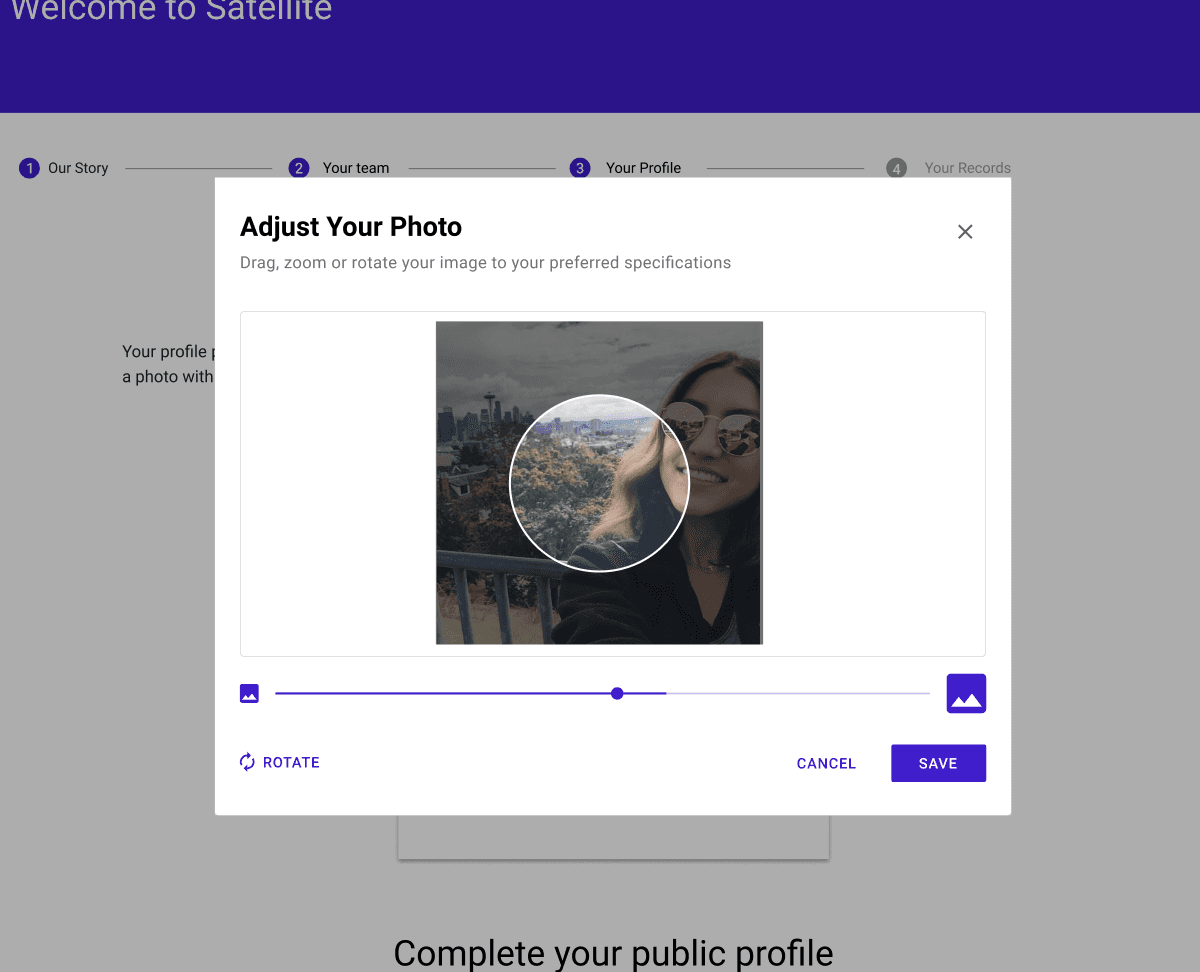
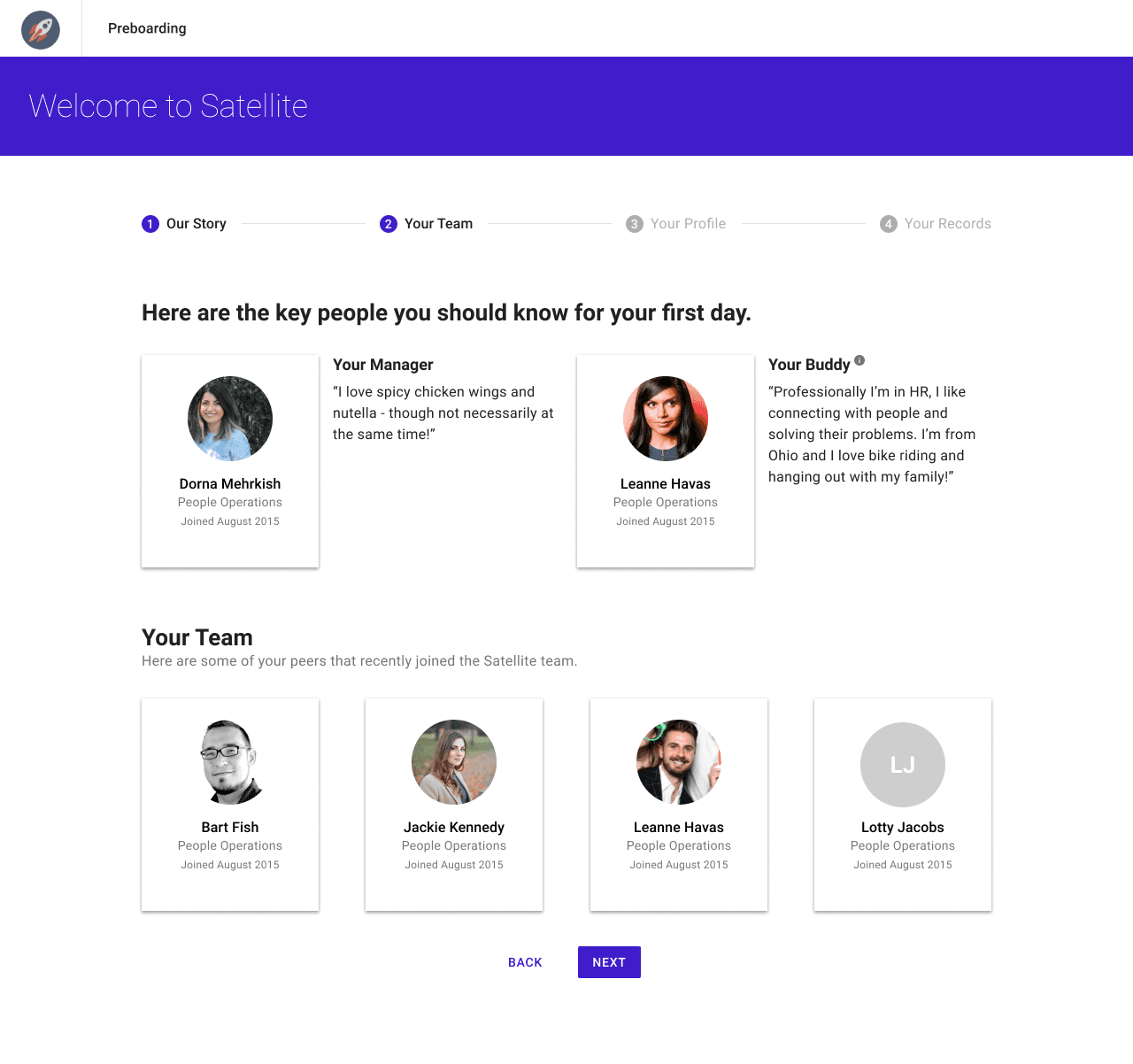
I also removed an overview step that people rarely used and regrouped the form into public information, such as a bio or preferred pronouns, and private information, such as emergency contacts.
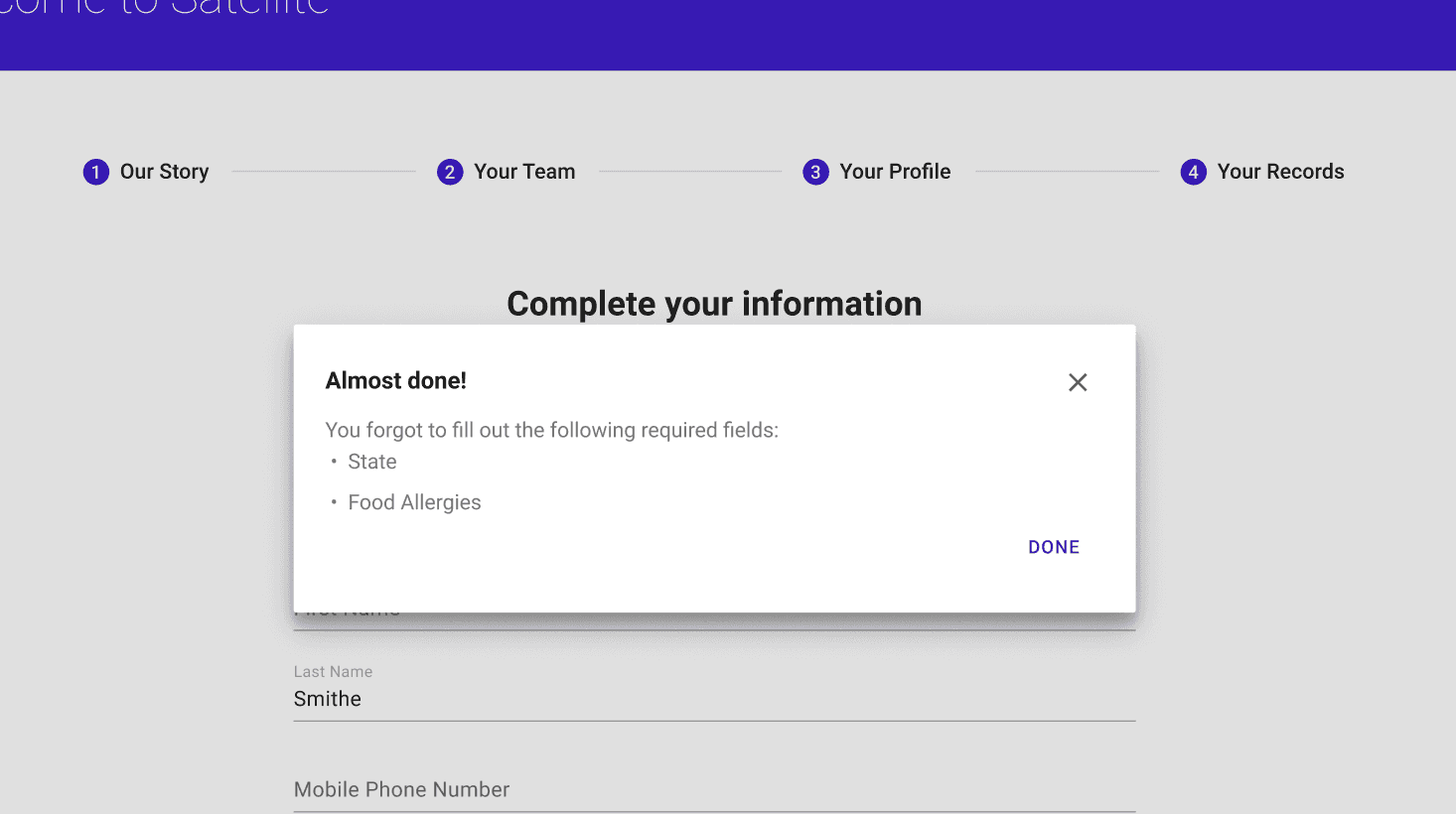
We kept the next button active and showed a clear message when someone missed a required field. We also highlighted the missing fields and rebuilt the complete flow for mobile users, who had previously reached a 404 page.
We launched to a limited group of onboarding customers first. After one week, support tickets about preboarding dropped and average completion time fell from 14 minutes to 10 minutes. We then rolled the redesign out to all customers.
REFLECTIONS
What I learned
This project made me think more carefully about the difference between buyers and users. Our team had spent a lot of time on admin features, but new hires experienced Sapling in a very different way.
I also learned how much anxiety can come from long forms and unclear labels. When people are asked for sensitive information, the product needs to explain why it is needed and make the next step obvious.