CASE STUDY
Pantheon Autopilot

COMPANY
Pantheon
MY ROLE
Design Lead
TIMELINE
October 2019 — 2021
PROJECT OVERVIEW
I integrated Autopilot’s visual QA workflow into Pantheon’s platform, helping website teams ship CMS updates with more confidence and reducing manual review work.
Website updates shouldn’t feel scary
Autopilot automates CMS updates and visual QA, reducing manual work for website teams. After Pantheon acquired it in 2019, I led its design integration and introduced key features, helping drive roughly 10% month-over-month usage growth per account.
Background and problem overview
Website updates keep sites secure and functional, but they can also break layouts and critical features. To avoid that risk and the development effort, businesses often delay updates—allowing technical debt to grow and slowing innovation.
To understand these barriers, we evaluated the legacy product, interviewed potential customers, and analyzed competing tools.
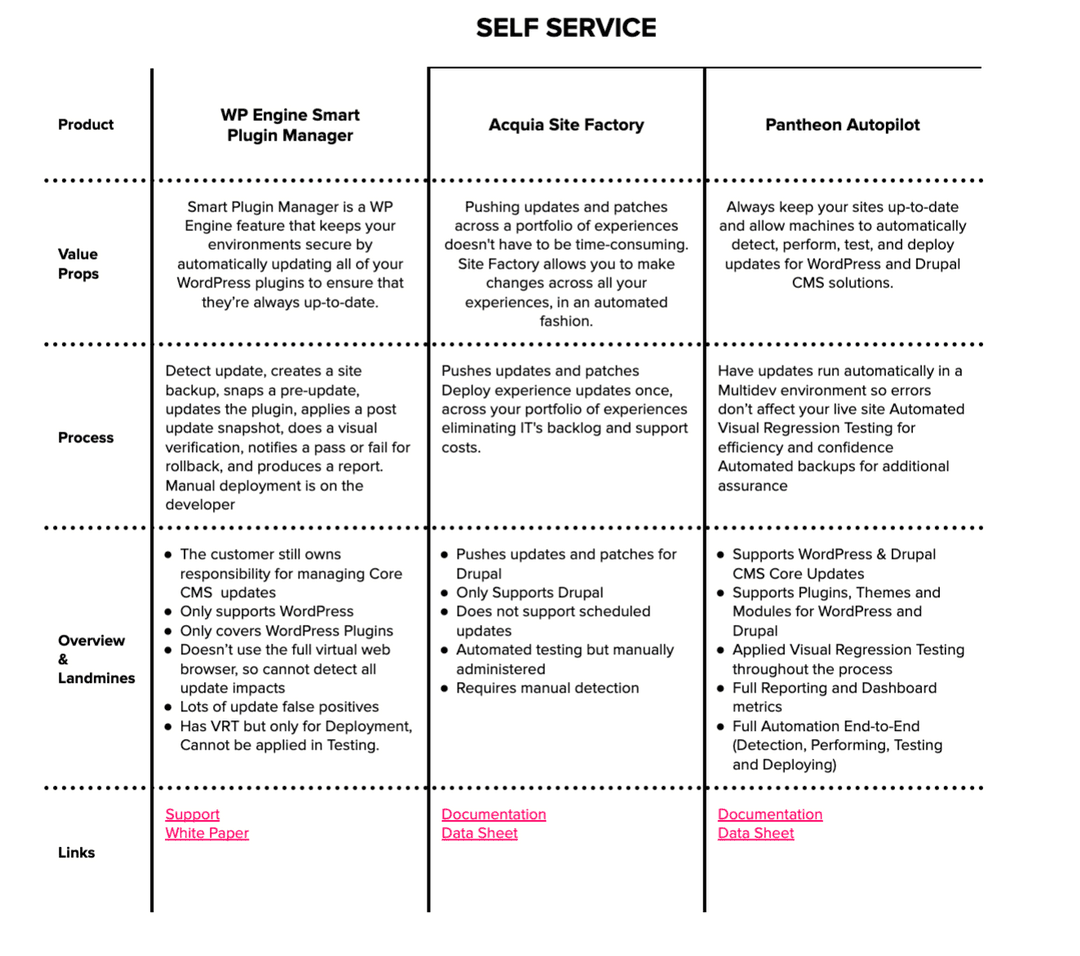
Through our interviews, I learned that website maintenance work requires expertise and continual effort, an especially daunting task when managing a large portfolio of sites. There are new updates and security disclosures every day, so sites are almost always out of date.
Our vision
Everything on the customer’s site is always up-to-date. All available updates for CMS core and 3rd party modules are applied safely to the site.
The site visitor’s experience remains the same. The layout isn’t broken, images aren’t missing, elements of the page haven’t moved around unexpectedly. At a glance, everything looks good. The visitor can still achieve their goals (purchase products, submit contact forms, log in to the site, etc).
With this happy path in mind, I was able to break down the solution into 7 key user flows
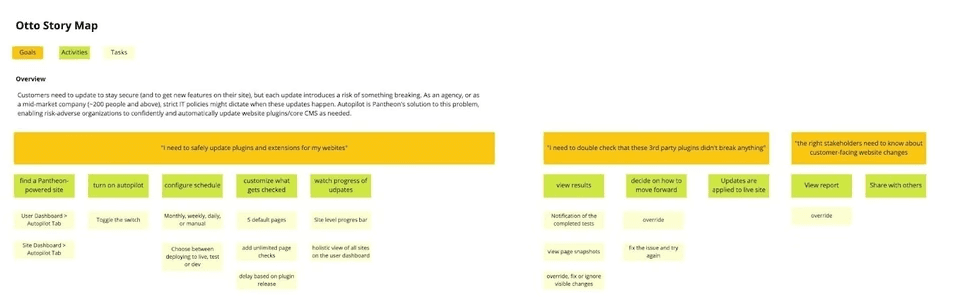
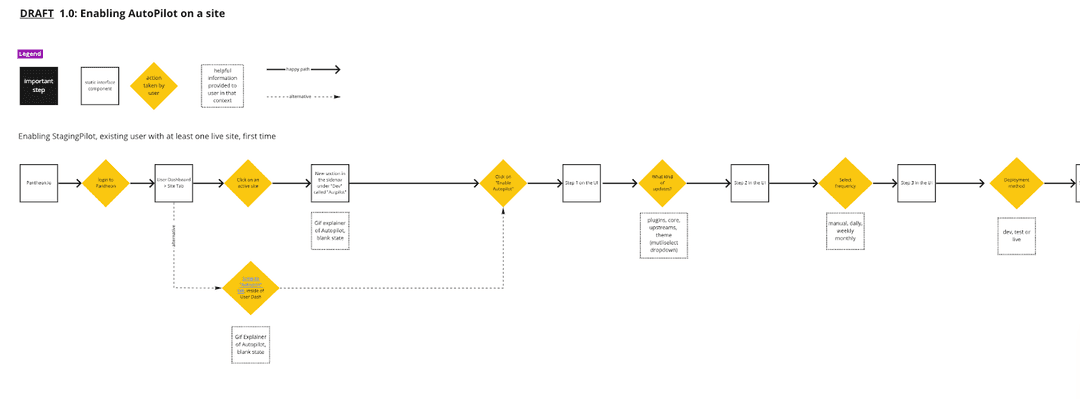
As a team, we reviewed my proposals and decided to deprioritize 4 of the proposed features, primarily due to technical debt. We agreed on 3 initial features for the MVP:
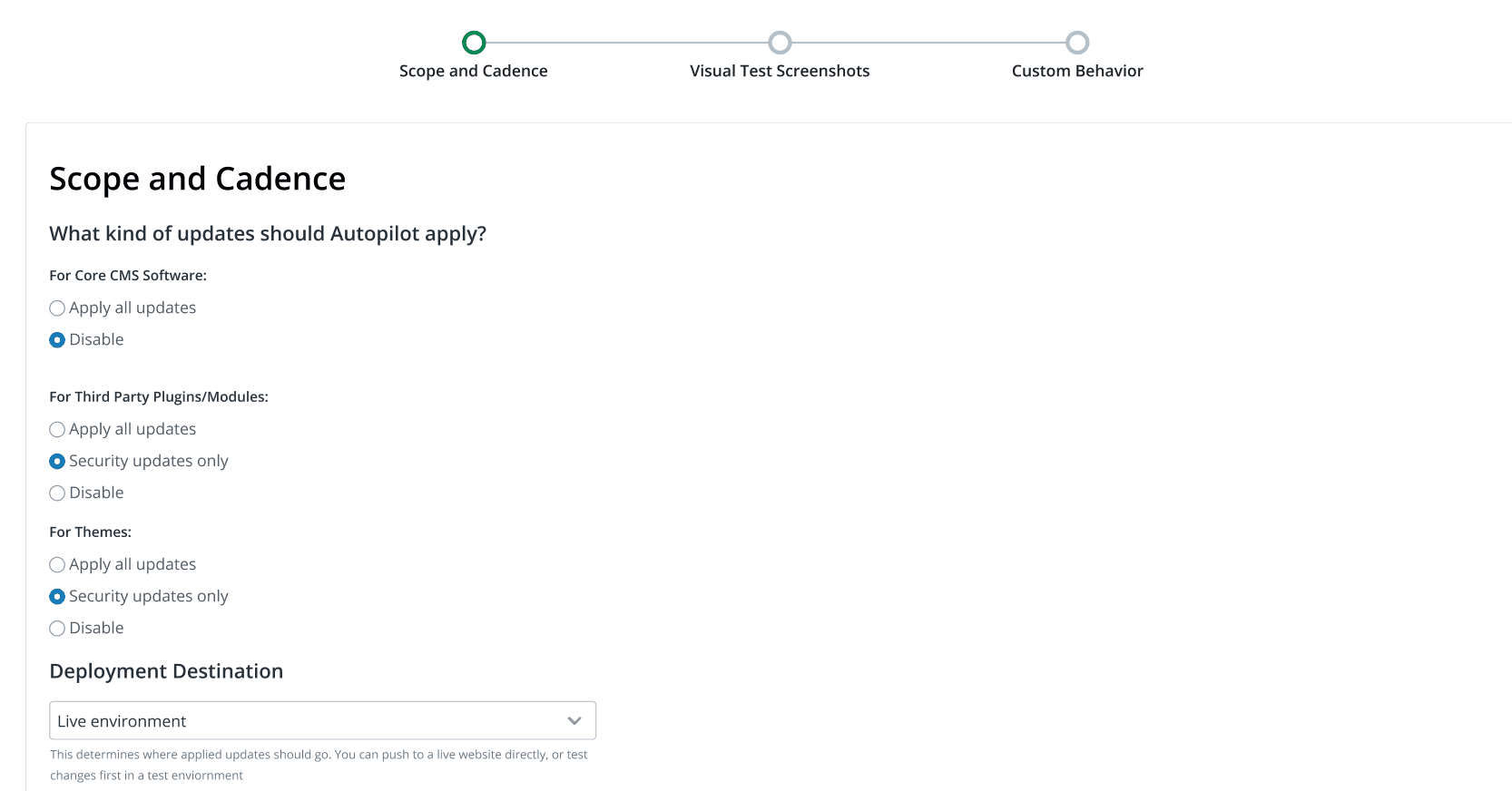
Site Setup: This was a configuration process for Site Owners who activate Autopilot for their site for the first time.
Activity Feed:Autopilot’s target audience is larger, risk-averse corporations managing over 100 sites. It’s important for them to have a paper trail.
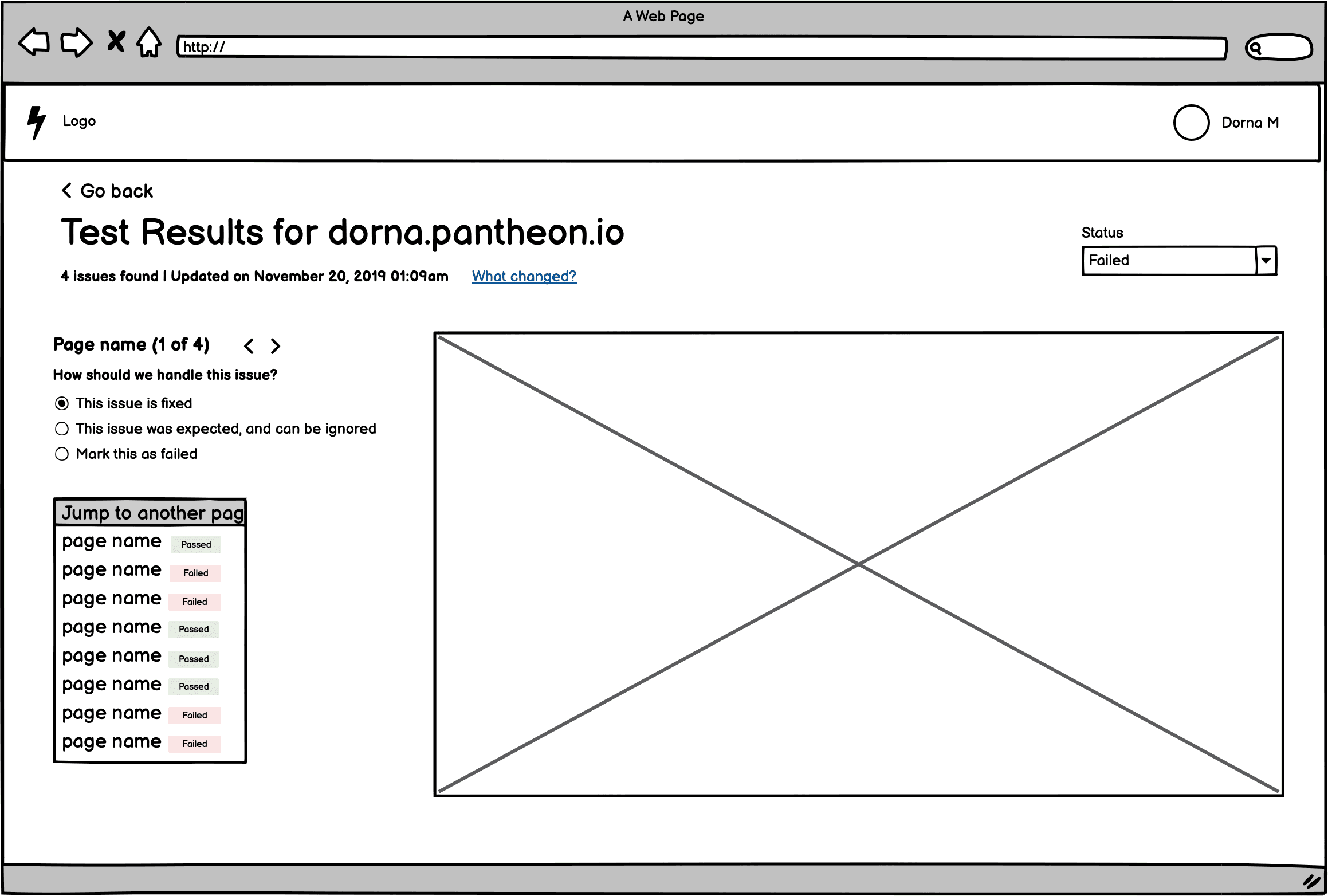
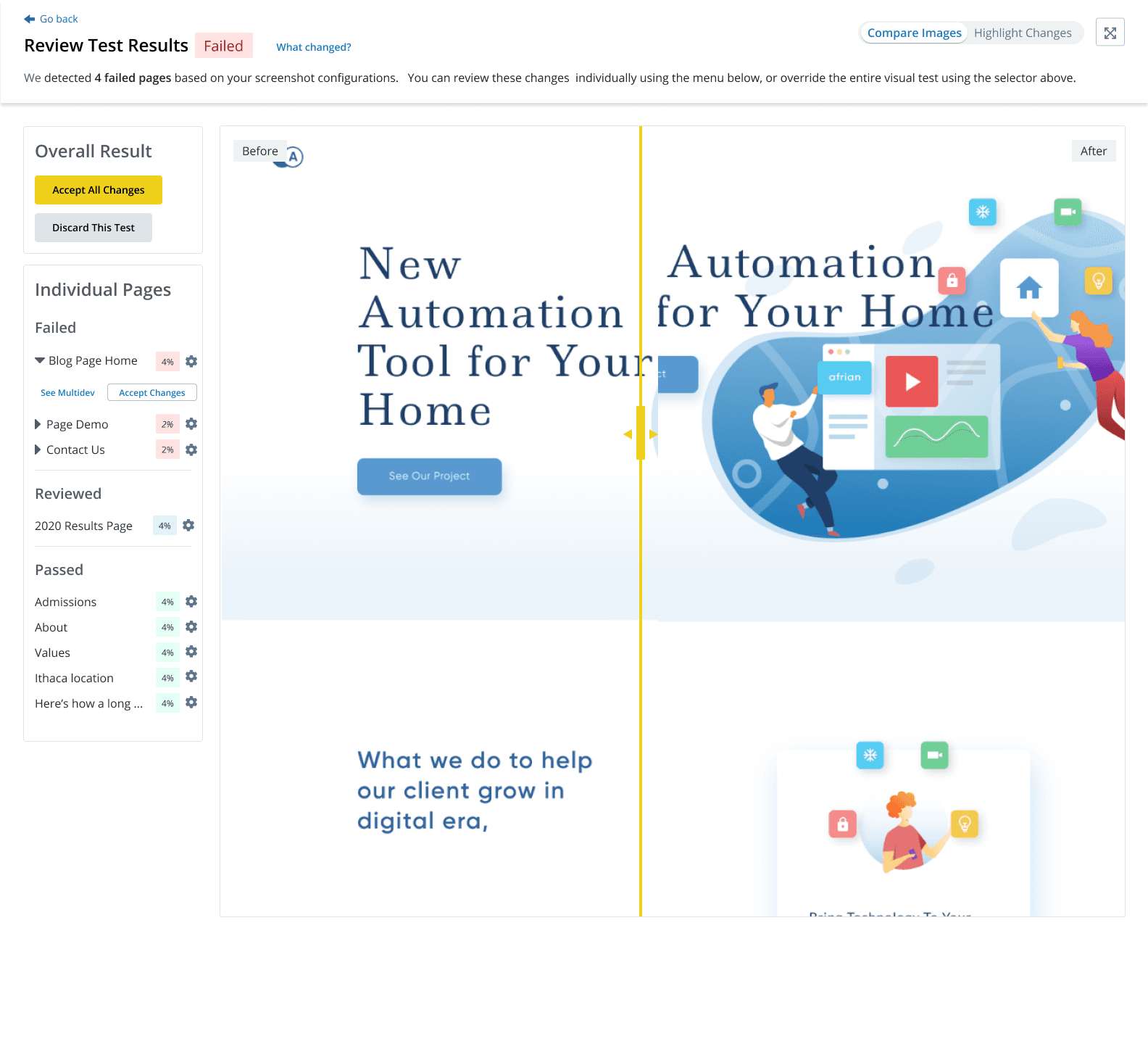
Visual Regression Testing: This was a tool that enabled users to review the visual impact of their site’s updates. The Visual Regression Tool (VRT) takes a screenshot of their site’s pages before and after updates were applied. Users can then compare the pixel differences and decide if the updates should be deployed.
APPROACH
Quick design iteration led to early learnings
Every feature below was built iteratively in Figma and shared with customers for quick validation.
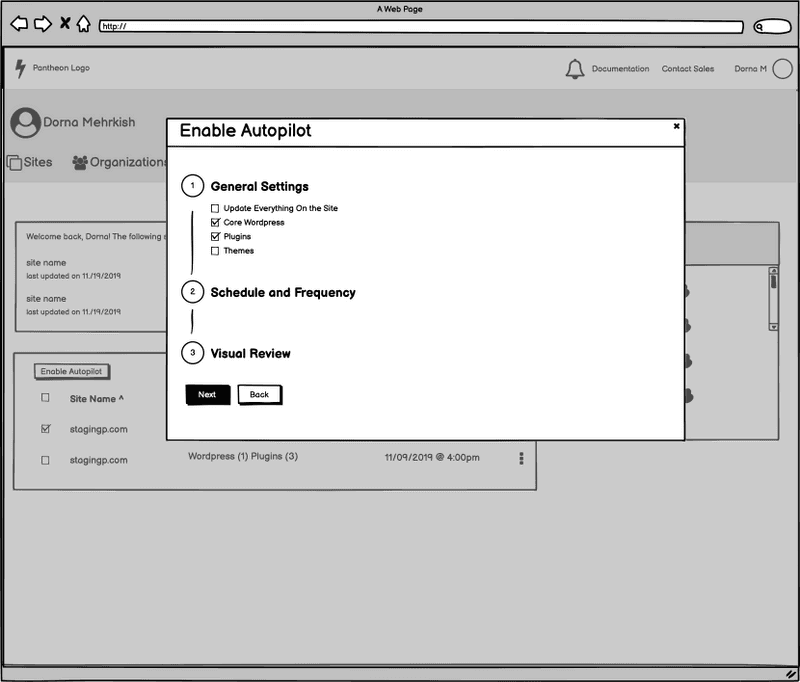
1. Autopilot Site Setup
A three-step setup flow helped site owners define update scope, exclude themes or plugins, and choose pages for visual review.
Iterations:
2. Visual Regression Test Tool
Automated regression testing gave teams a way to review visual changes before deploying CMS updates.
Iterations:

Latest version in production:

3. Activity Feed
The Activity Feed gave teams a clear history of updates, tests, and actions performed on each website.
Iterations:

Outcome
Results & post-launch improvements
Within three months of general availability, Autopilot was active on 17,320 websites across 300 accounts, used by 10% of eligible customers, and saving teams roughly four hours per week per account. The improved error work also helped reduce related support tickets by 20% within two weeks.
From April - July 2021, we gradually released Autopilot to more customers (About 5 per week). Every week during this period, our scrum team reviewed and discussed the customer feedback, so that we could start implementing bug fixes and improvements.
Improvement to progress indicator:

Added workspace dashboard for easier enterprise management:

Within three months of launch, Autopilot was running on 17,320 websites across 300 accounts, reaching 10% of eligible customers. It saved each account roughly 4 hours per week, freeing website teams to focus on strategic work.
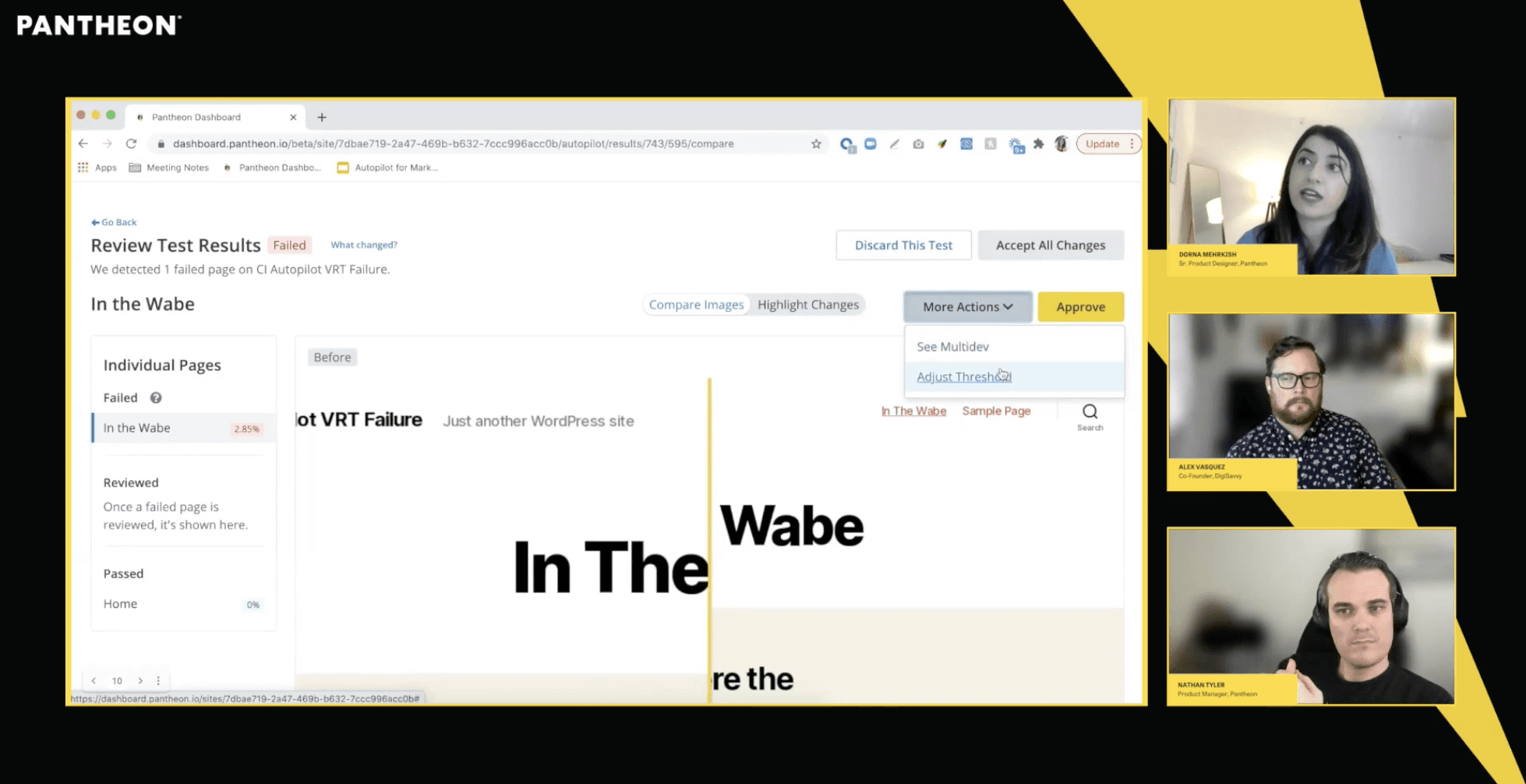
To support the launch, I co-hosted a customer webinar, demonstrated the full product experience, and answered customer questions live:
REFLECTIONS
What I learned
I learned to make design work visible in project timelines: without formal tracking and estimates, we created engineering bottlenecks and compressed research, prompting us to establish a design project management playbook. Moving Autopilot into Pantheon’s new dashboard improved the customer experience but required substantial redesign and delayed launch by several months, underscoring the importance of aligning dependent projects early.