CASE STUDY
Lendmate

COMPANY
Personal Project
MY ROLE
UX Design
TIMELINE
2017
PROJECT OVERVIEW
A personal iOS concept for renting rarely used items from people in your neighborhood, designed around trust, simple posting, and clear scheduling.
Making occasional purchases easier to avoid
Lendmate began with a familiar problem. When I needed camping gear or a moving dolly, I did not want to buy something I would only use once. I usually asked friends if I could borrow it.
I designed Lendmate as an iOS app where people could list rarely used items, set a daily price, and manage reservations and payments in one place.
The main challenge was trust. People were open to sharing, but they needed to feel confident about who was borrowing their things and what would happen if something went wrong.
APPROACH
Learning what people would share
At first, I considered making Lendmate a free borrowing app. Research showed that people often had expensive items they rarely used, but they were split on whether they would trust a stranger with something valuable. A small payment felt like a better way to create accountability.
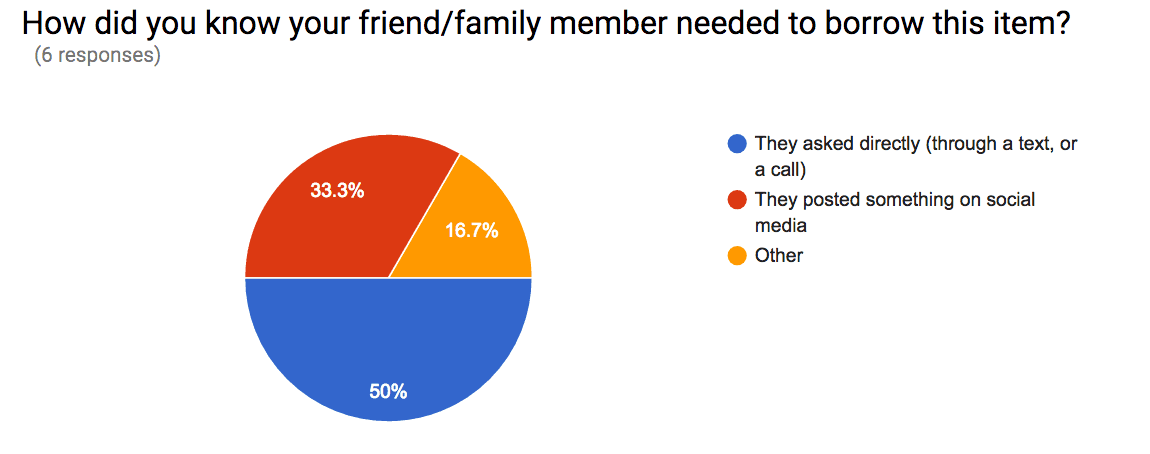
I followed up with two survey respondents. Both had more belongings than they wanted, and both said they would ask friends or family for an expensive item before buying one. They were open to sharing with neighbors, especially if payment helped protect the item’s condition.
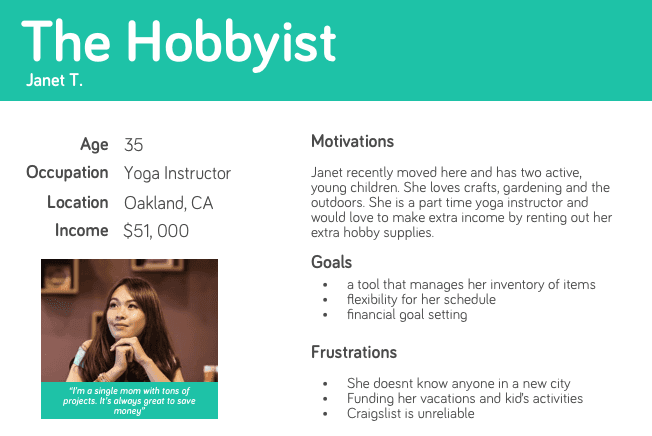
I created two personas so the product requirements stayed grounded in what borrowers and lenders needed, rather than my own assumptions.
Keeping the first version focused
I compared local marketplace apps across borrower and lender needs, then chose to make Lendmate a renting app. I removed ideas like item requests and user blocking from the first version so I could focus on listing, browsing, reservations, and payment.
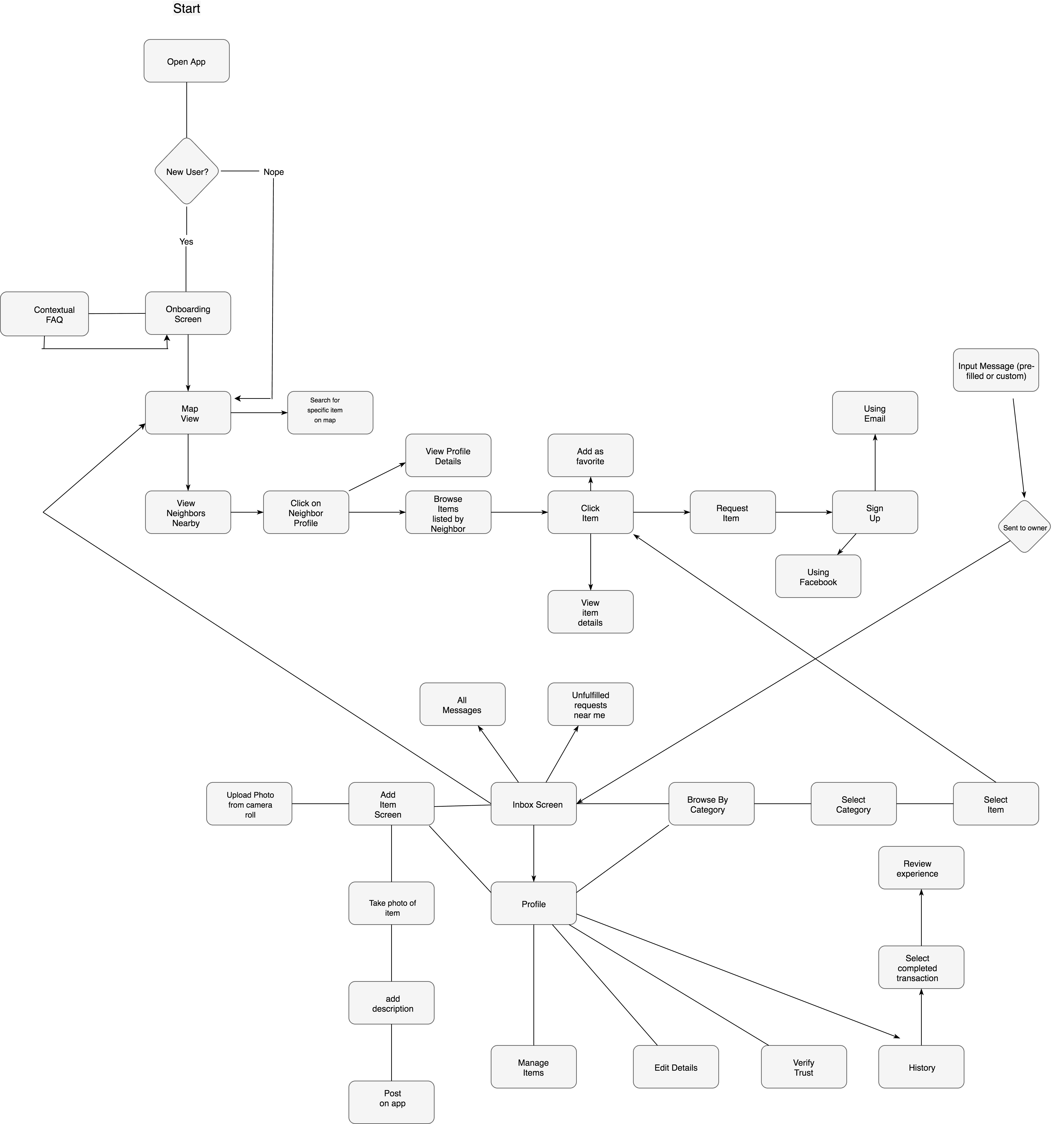
I let people browse before asking them to create an account. I mapped the flow, then used a site map to organize the app’s navigation and give the main actions a clearer home.
Outcome
Turning the idea into a usable app
The early wireframes helped me work through the two hardest browsing questions: what details should show before someone rents an item, and when should they be able to adjust location and filters?

I used the first-run tutorial and the navigation to make posting an item feel easy. The central action was taking a photo, so I made it more prominent than the other tabs.
I added an inbox for questions, meetup planning, and app updates. Later, I realized messaging alone was not enough for people with several active rentals, so I added a calendar for past, current, and upcoming reservations.
I also used a preference test to decide where ratings and reviews belonged in the rental flow.
REFLECTIONS
What I learned
I tested the final prototype with three people in San Francisco. They completed 80% of the tasks, but took an average of 50 seconds when the goal was 30. The most common feedback was that the text was too small to read comfortably.
The project taught me how quickly feature creep can take over. I kept returning to the original goals, used Sketch symbols to move faster, and relied on Apple’s Human Interface Guidelines when making decisions.
If I continued the project, I would improve the onboarding animation and add stronger safety rules for messages. Helping people feel safe while sharing with strangers would be central to the next version.